


Breakaway is now open for pre-orders, join the Run here!
Well, it works. A stock Duke, no cable, playing on a real OG Xbox from across the room.. rumble and all.
This is the first build log for Breakaway, which is a wireless mod for original Xbox controllers (the Duke and the Controller S). I'm planning on opening a group-buy Run here in about two weeks. Below I'll try to detail everything about the project - what's build & what's still left to do.
Why Build This?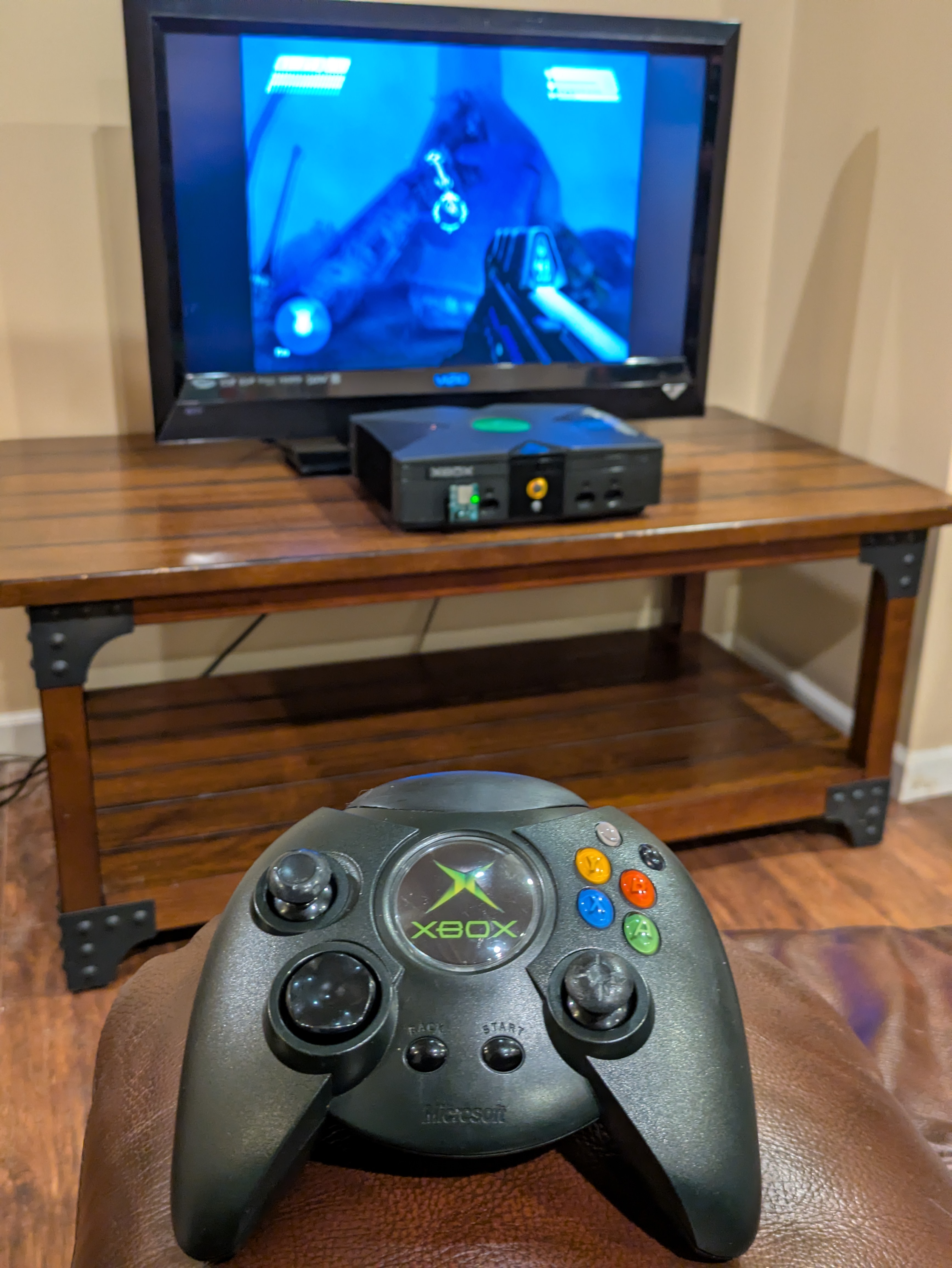
Three reasons, in order:
- I wanted to keep the original controller. Not a modern controller through an adapter - the actual Duke, with its pressure-sensitive face buttons and its ridiculous rumble motors.
- Zero lag - I wanted something that could outperform Bluetooth, have better range and lower latency.
- I wanted to see if it could be done properly. USB host on one end, a convincing fake controller on the other, and a purpose-built radio link in the middle.
The Design
This solution is made up of 2 small custom boards, both built around the ESP32-S3. In case you weren't aware, the original Xbox controllers work basically as standard USB, but with a modified protocol. This makes the S3 chip the perfect choice for this: its native USB port can play either side of the conversation - host on the pack, device on the dongle - and the 2.4 GHz radio is already on the module. One part does both halves of the job, with no separate USB controller or radio chip on either board.
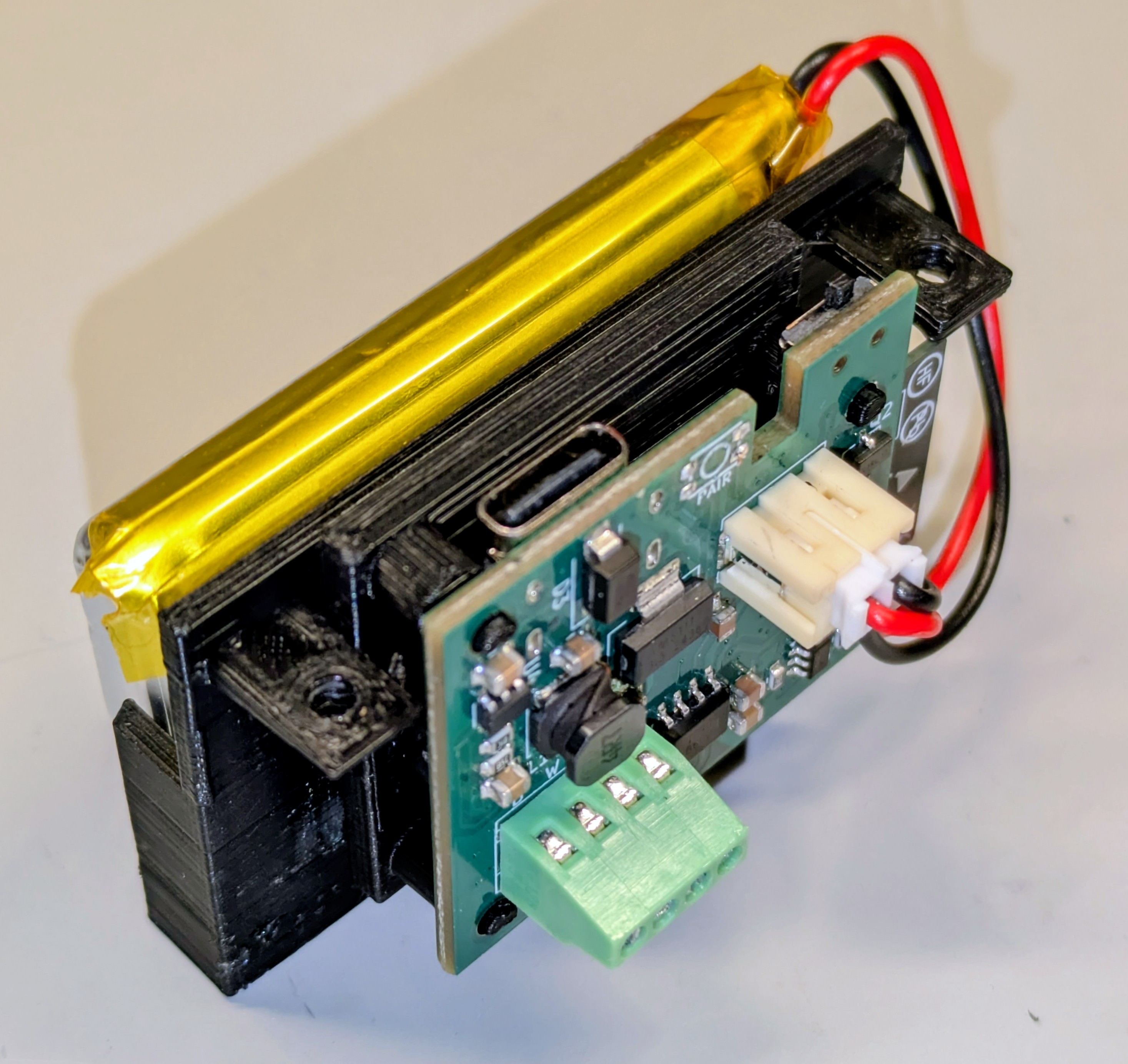
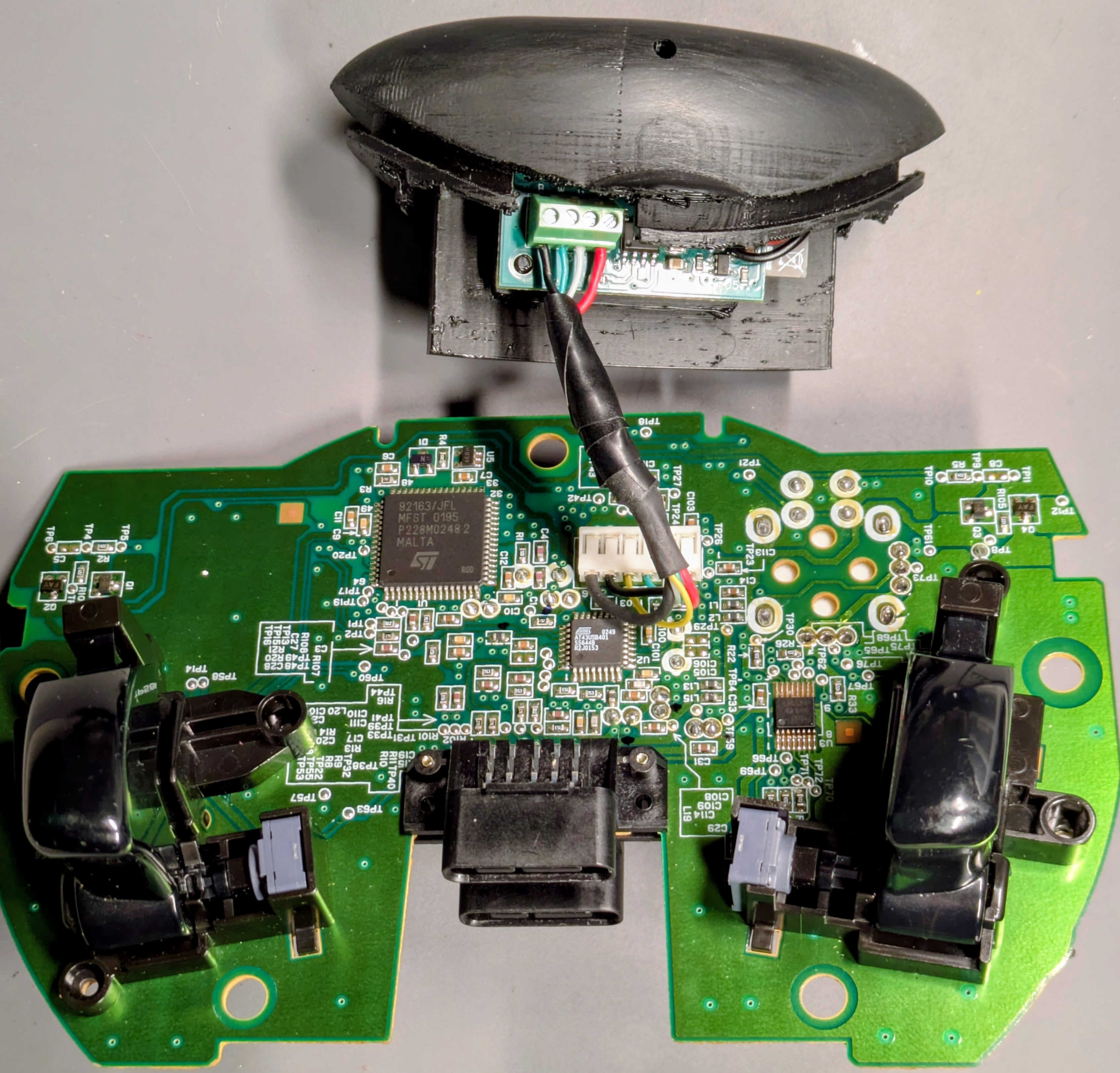
The pack lives on the controller. It clips into the two memory unit bays on top, under a 3D printed dome, with a LiPo cell inside and USB-C for charging. The bays are only there for mounting though.. their data pins hang off the controller's internal hub and can't reach back to the pad itself. So the controller's cable gets cut short and the four wires land in a screw terminal on the pack. No soldering to the controller's PCB, nothing irreversible besides (literally) cutting the cord. Should you decide to reverse this mod in the future, replacement cables are available online. The pack acts as the console as far as the controller is concerned. It powers it, enumerates it over USB, and reads its reports exactly like an Xbox would.
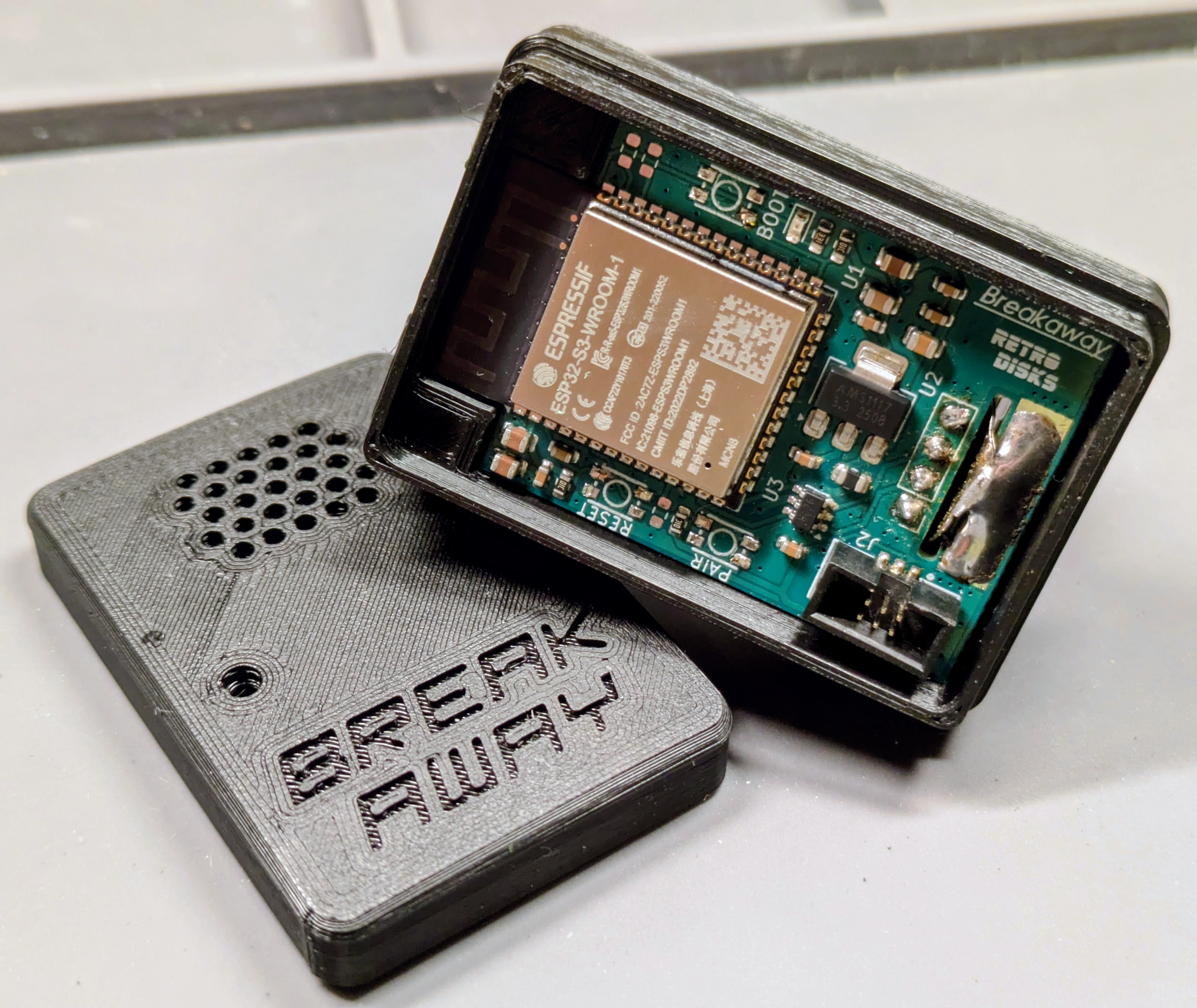 The dongle plugs into a controller port. The plug is the real thing - salvaged from a breakaway cable and mounted straight onto the board (hence the name). To the console it is a wired Duke: same IDs, same descriptors, byte for byte. No softmod, no drivers, no console changes. Works on a bone-stock Xbox.
Between them is ESP-NOW, Espressif's connectionless 2.4 GHz protocol. No Bluetooth stack, no Wi-Fi network, no connection interval. Just small packets fired directly from one chip to the other.
How the firmware works
The console asks a wired controller for its state every 4 ms. So the pack reads the controller and sends the complete controller state 250 times a second. Every packet is the contains the entire status - every button, both sticks, both triggers, and the full pressure value of all six analog face buttons. If a packet gets lost, nothing gets retried or queued.. the next one is 4 ms behind it and replaces it anyway. Newest state always wins. Rumble goes the other way: console > dongle > radio > pack > motors.
 What's in there today:
- Zero-button pairing. A new controller pack & dongle find each other on first power-up. Once bonded they only ever talk to each other, re-pairing is a button press on each end.
- Up to 4 players. Each pack/dongle pair is its own independent link. Player number is just whichever port the dongle is in.
- Safe link loss. If the dongle hears nothing for half a second it tells the console the sticks are centered and nothing is pressed. No character sprinting off a cliff because you walked out of range. :)
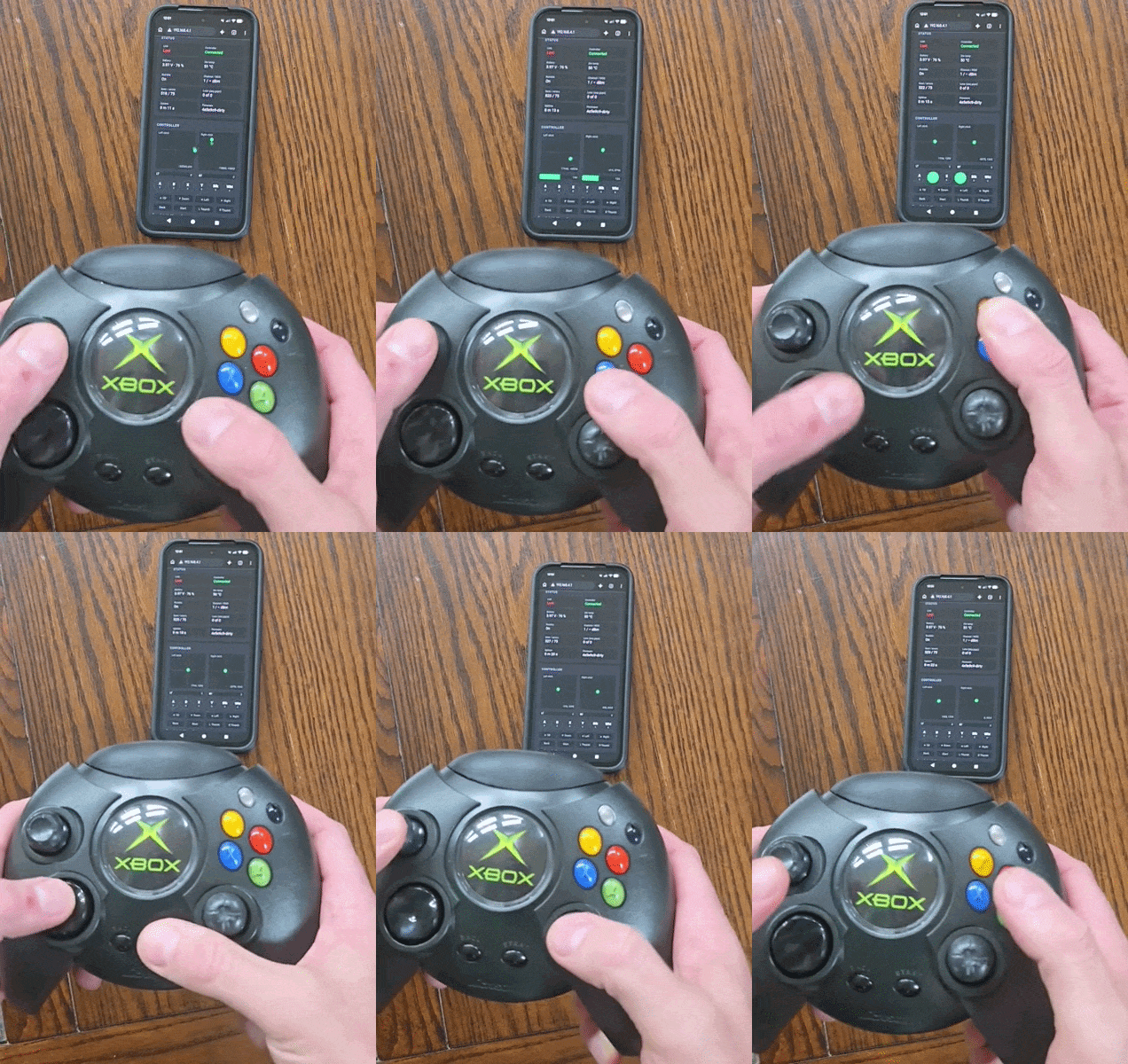
- A config page on your phone. Hold L+R Trigger+Black+D-pad Left for three seconds, the controller buzzes three times, and the pack raises its own Wi-Fi hotspot. The page pops up like a hotel login screen. Battery, temperature, signal strength, packet loss, a live visualizer of every input, rumble on/off, pair/forget, and firmware update. The link keeps streaming while the page is open - you can keep playing.
- Wireless firmware updates for both boards from that page. It also refuses firmware meant for the other board.. ask me how I know that check needed to exist 😁
- Everything is reachable from the controller. Rumble on/off, the pack's hotspot, the dongle's hotspot (the pack asks it over the radio), and Back + Start for three seconds to put the pack to sleep.
- Power management. Low battery shows on both the controller the pack's and the dongle. Since the dongle is on the front of the console where you can actually see it, it may actually be more useful there. After 5 minutes without a an input, the controller will put itself to sleep and enter battery saving mode. Hit the button on the pack to wake it back up, no need to power off separately.
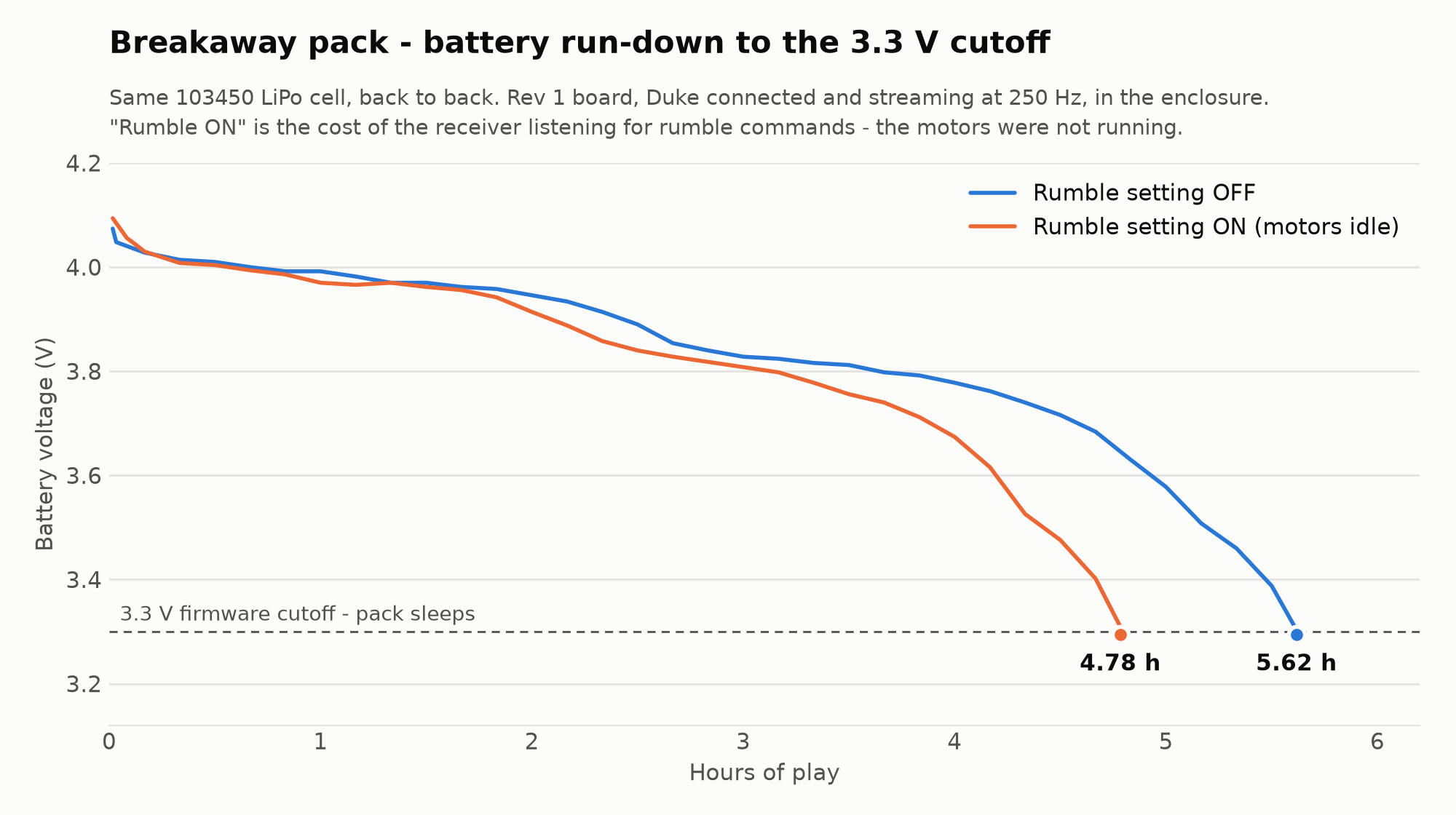
Battery: I've performed four full run-downs on a 103450 LiPo, controller connected and streaming the whole time. ~5.5 hours with rumble switched off, ~4.8 hours with it switched on. However this difference is just the cost of listening for the rumble commands, expect rumble-heavy games to drain the battery much faster - expect around 3.5 hours for that kind of gameplay. Newer firmware already cuts most of that listening cost, and a proper motors-running test is still on my to-do list.
The rev 2 board has a more efficient power design that should get back another ~15%, and I'll re-run it and post the logs when those boards are in hand. Real-world guess on a rumble-heavy game the battery may last only about 3 hours. To disable rumble from the controller, you hold down L+R Trigger+Black+D-pad Down for 3 seconds. The controller will rumble once to confirm. To enable, hold L+R Trigger+Black+D-pad Up and it'll rumble twice to confirm.
 Status
Working on the prototype hardware today:
- Pack enumerates a real Duke and decodes every control
- Dongle enumerates on a real, unmodified Xbox as a controller
- End to end: play a game wirelessly, rumble included
- Pairing, config page, wireless updates, sleep, low-battery cutoff - all verified on the boards
Still left to do:
- Both boards had a schematic error with the buttons causing them to all be permanently pressed. I lost darn near a day of this trying to figure out why I couldn't get the ESP into firmware download mode because of this.
- Rev 2 dongle board. Mostly complete, primarily needed to shorten the board so it doesn't block the DVD from opening when plugged in. Didn't even think to measure that for Rev 1! Just wrapped this up.
- Rev 2 pack board. The schematic is done: side-view RGB status LED (charging / full / link / low battery in one light), a right-angle pair button you can reach beside the USB-C port, no power switch (it just sleeps, at microamps), and the better power tree. Layout is still to-do.
- Controller S. Everything so far is verified on the Duke. The hardest part is going to be the enclosure and seeing if I can cram the same sized battery in there somehow.
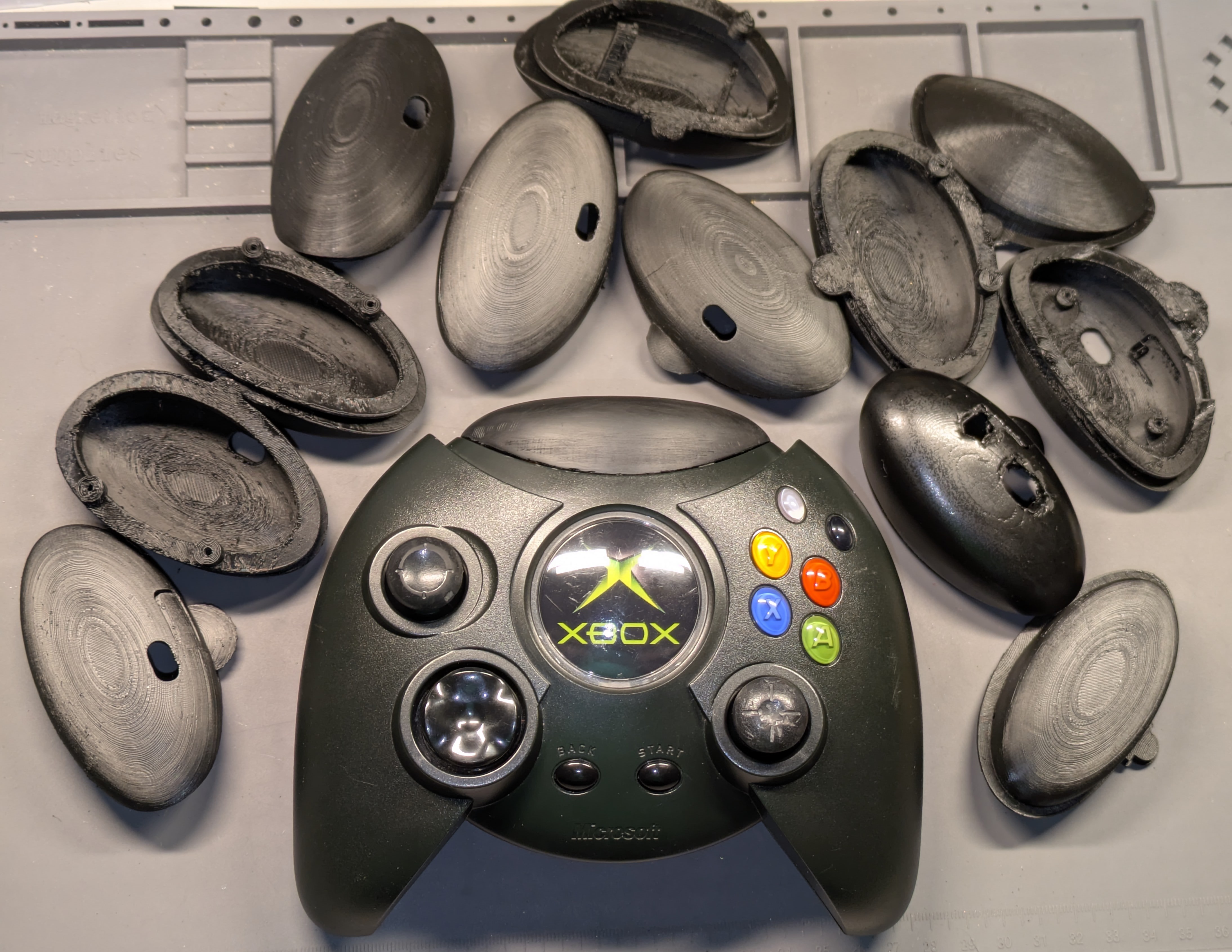
- Final enclosure fit and finish. Getting the pack enclosure to fit "just right" has been a tedious process. The photo to the here shows just a few of the iterations. The final enclosures will be 3D printed in black resin and sanded, so it should look pretty professional and not have any obvious elements of having been 3D printed.
The Run
In about 2-3 weeks I'll open a group-buy Run for kits (only): The DIY kit will include - pack board, dongle board, printed enclosures. The dongle & pack will come assembled. You will then open the controller, cut one cable, strip & screw down 4 wires in a terminal, then reassemble everything. Full installation documentation & videos forthcoming. Prices for kits will be announced when I launch the run - price will depend on volume, so please share your interest now? it'll help me better estimate what my qty target should be for the first batch. Run will probably be open for about 30 days, expect shipping about 15 days after that.
IF YOU JUST CAN'T WAIT: I do have a few spare prototype boards which are fully functional & am looking for some help with beta testing. Reach out if interested!
A short time after the initial run is complete, I will offer a small number of Pre-modded controllers, done by me. More to come on this later.
If there's something that I haven't covered that you'd absolutely want to see implemented in the firmware, let me know! Comment below or message me through my shop.
0 Comments
Sign in to leave a comment.